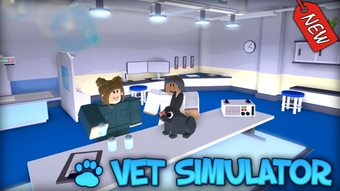

Vet Simulator for Roblox: Free Pet Care Fun
Overview
Developed by Block Evolution Studios, Vet Simulator is a free desktop application designed for Roblox users seeking a lighthearted and engaging animal care experience. As part of the Utilities category, this software functions as a game within the Roblox platform, offering players the opportunity to simulate veterinary care for various pets. The app allows users to treat, diagnose, and care for virtual animals, blending entertainment with simple role-playing mechanics. It is intended for casual gamers and Roblox enthusiasts who enjoy simulation-style gameplay, particularly those interested in animals and pet care.
The software is accessible through the Roblox platform and does not require standalone installation beyond the Roblox client. Its purpose lies in providing a fun, interactive environment where users can explore responsibilities associated with being a veterinarian, from diagnosing illnesses to administering treatments. Real-world usage scenarios include recreational gaming during free time, educational play for younger users interested in animal care, and social interaction within Roblox communities. The developer has not provided additional details about the game’s narrative or progression system.
Key Features & Capabilities
- Pet Diagnosis and Treatment – Players can examine virtual animals, identify health issues, and apply appropriate medical procedures using in-game tools.
- Animal Variety – The app features multiple pet species, including dogs, cats, birds, and small mammals, each with unique health needs.
- Interactive Medical Tools – Users gain access to a range of simulated veterinary equipment such as stethoscopes, syringes, and diagnostic scanners.
- Role-Playing Gameplay – The software encourages immersive play by simulating real-world veterinary tasks in a simplified, age-appropriate format.
- Roblox Integration – As a Roblox-based experience, it leverages the platform’s multiplayer and social features for shared gameplay sessions.
These features support a seamless, engaging experience for users who enjoy managing animal health in a virtual environment. The game’s mechanics are designed to be intuitive, allowing players to learn basic veterinary procedures through trial and error. It is especially suited for younger audiences or those seeking stress-free entertainment. The developer did not provide further details on advanced gameplay mechanics or progression systems.
User Interface, Workflow & Performance
The user interface of Vet Simulator is built within the Roblox environment, meaning its layout and navigation follow the standard Roblox client design. Users access the game through the Roblox launcher, where it appears as a listed experience. The interface is straightforward, with on-screen prompts guiding players through diagnostic and treatment steps. Navigation is consistent with typical Roblox gameplay, relying on mouse and keyboard inputs for movement and interaction.
Workflow efficiency is supported by the game’s role-based structure, where players follow a logical sequence: approach an animal, examine symptoms, select tools, and perform treatments. The game does not require complex menus or advanced setup. Performance observations are based on general software behavior patterns, as specific resource usage details were not provided. The developer did not specify CPU or RAM behavior, nor did they share information about frame rate stability or loading times.
Compatibility & System Requirements
Vet Simulator is compatible with both Windows and Mac operating systems, allowing access across major desktop platforms. The software is distributed as a Roblox experience, meaning it runs through the Roblox client rather than as a standalone application. The installation size is listed at 250 MB, which is typical for Roblox games of similar scope. The current version is labeled as 0, though this may reflect a placeholder or early development state.
Exact system requirements were not listed by the developer. Platform compatibility information is limited to the supported OS types. The developer did not provide additional details on hardware specifications such as GPU, RAM, or processor requirements. It is recommended users ensure their device meets the general requirements for running the Roblox platform, as the game relies on it for execution.
Pros and Cons
Pros
- Free to use with no cost barrier to entry
- Accessible on both Windows and Mac platforms
- Engaging simulation gameplay centered on animal care
- Designed for casual, non-competitive entertainment
- Runs through the Roblox platform, reducing standalone installation needs
Cons
- No detailed system requirements provided by the developer
- Version number is listed as 0, which may indicate an early or unstable release
- Performance and resource usage details were not specified
- Only available in English, limiting accessibility for non-English speakers
- Relies entirely on the Roblox client, which may require updates or background processes
FAQ Section
Is Vet Simulator available for free?
Yes, Vet Simulator is a free application. It does not require payment for access or gameplay.
Can I play Vet Simulator on both Windows and Mac?
Yes, the software is compatible with both Windows and Mac operating systems.
Do I need a script executor to run Vet Simulator?
No, the game is a standard Roblox experience and does not require a script executor. It can be played directly through the Roblox client.
Is Vet Simulator safe to download and use?
As a Roblox-based experience published on Softonic, it is considered safe when accessed through the official Roblox platform. However, users should always ensure they are using the official Roblox client.
Does Vet Simulator require an internet connection?
Yes, since it runs as part of the Roblox platform, an active internet connection is required for gameplay and access.
Final Thoughts
Vet Simulator offers a simple yet enjoyable pet care simulation experience for Roblox players. Its free access, cross-platform availability, and focus on animal health make it a solid choice for casual gamers and younger audiences. While the lack of detailed system requirements and a version number labeled as 0 may raise questions about its stability, the core gameplay remains engaging and accessible. The integration with Roblox ensures a smooth user journey, and the focus on role-playing provides a fun, stress-free environment.
For users seeking a light-hearted, educational, and entertaining desktop tool centered on animal care, Vet Simulator delivers a satisfying experience. It stands out as a free, easy-to-access utility within the Roblox ecosystem. Download Vet Simulator now to explore the world of virtual veterinary care.







